Showing posts with label Sorceress Edea. Show all posts

Sunday, November 13, 2022

Sunday, October 23, 2022

Papercraft Final Fantasy 8 Sorceress Edea WIP 4: test builds


I decided to do two quick test builds for Edea; the first one is very fitting for Halloween with Edea doing her best Bent-Neck Lady impression... 😁
  • For the first test build I also tried keeping the "wheel" as the original textured version (which ended up quite blurry as I expected, so I found pretty quikly that cutting the shapes/holes cleanly wasn't really possible) and the edited wheel (which was a lot of work to do, but will make the wheel much better)
  • I also finally changed the bottom of the dress; I think the smoother shapes look much better.
I think it's going the right way though! The dress looks nice now (it's really important to pre-shape the curves thoroughly!) and I'm happy with the wheel and head; the hair accessories look alright in 2D at this size, while I kept the horns as 3D, and they're just big enough to do so.


Stay tuned!
Sunday, October 16, 2022

Papercraft Final Fantasy 8 Sorceress Edea WIP 3: remodelling & texture edits


The original Final Fantasy VIII game models are a great looking combination of 3D meshes and textures, made to look good on the screen. To make them into papercrafts however, the 'tricks' used for the game don't always work so I did a lot of work to change things that would work as a papercraft.

For exmple, to keep things 'simpler' for the PlayStation's hardware to handle, small cutouts like on the feathered ends of Edea's collar are just a transparancy of the texture on just a few triangular polygons.

On a printed papercraft model however, the transparancy would show up as white paper of course. You could then just cut out the 'transparant parts, but the textures are quite small, so I decided to edit the 3D model from the start here to get a cleaner reference for later.


The same goes for the iconic 'wheel' on Edea's back; it's an intricate design, and the small texture doesn't  really do it justice. A lot of the holes would become blurred together in the papercraft, and you wouldn't really know where to cut. I remade the shapes, so you actually will be able to see. 😉


For Edea's accessories like her hairpins and earrings however, it's a bit of a mix: some of the hairpins have the same issue of just being small, blurry 2D textures (I remade those as cleaner shapes to look much sharper) while other pieces are made as 3D shapes that would become much too small to build out of paper (I remade those as 2D pieces).


It was a lot of work, but I think in the end the paper model will look better with the changes. Stay tuned!

Sunday, October 9, 2022

Final Fantasy VIII Sorceress Edea papercraft WIP 2 (legs & feathers)


Even if it looks a bit like Edea doesn't really want her picture taken (which I can understand that from ehm, this angle...) I do want to show you a common issue with making a papercraft of game characters in long dresses.

Often, they don't have legs. 😁

Especially in games from the era (FFVIII came out in 1999) it was a common thing because you don't get to see the legs anyway in the game. But although you don't see them in the papercraft really either, I did make Edea some simple legs.


The bottom of the dress has feathers along the edge, but I don't really like the black edge from the texture... I'll make them as part of the model, but just triangles doesn't look very good either to be honest... 😋


Stay tuned for more updates!

Wednesday, October 5, 2022

New Final Fantasy papercraft WIP 1 start: How to extract a 3D model from 1999's Final Fantasy VIII to use as basis for a papercraft model!


Time flies, and I'm a bit ashamed to say that it I haven't made a new Final Fantasy papercraft in over two years...! So it was about time. 😉

This time, I chose Final Fantasy VIII, since it's one of my favourite Final Fantasies but the only papercraft from it that I made so far is the Kingdom Hearts version of  Squall Leonheart...


◾ Extract a Final Fantasy VIII PlayStation game model (Noesis)

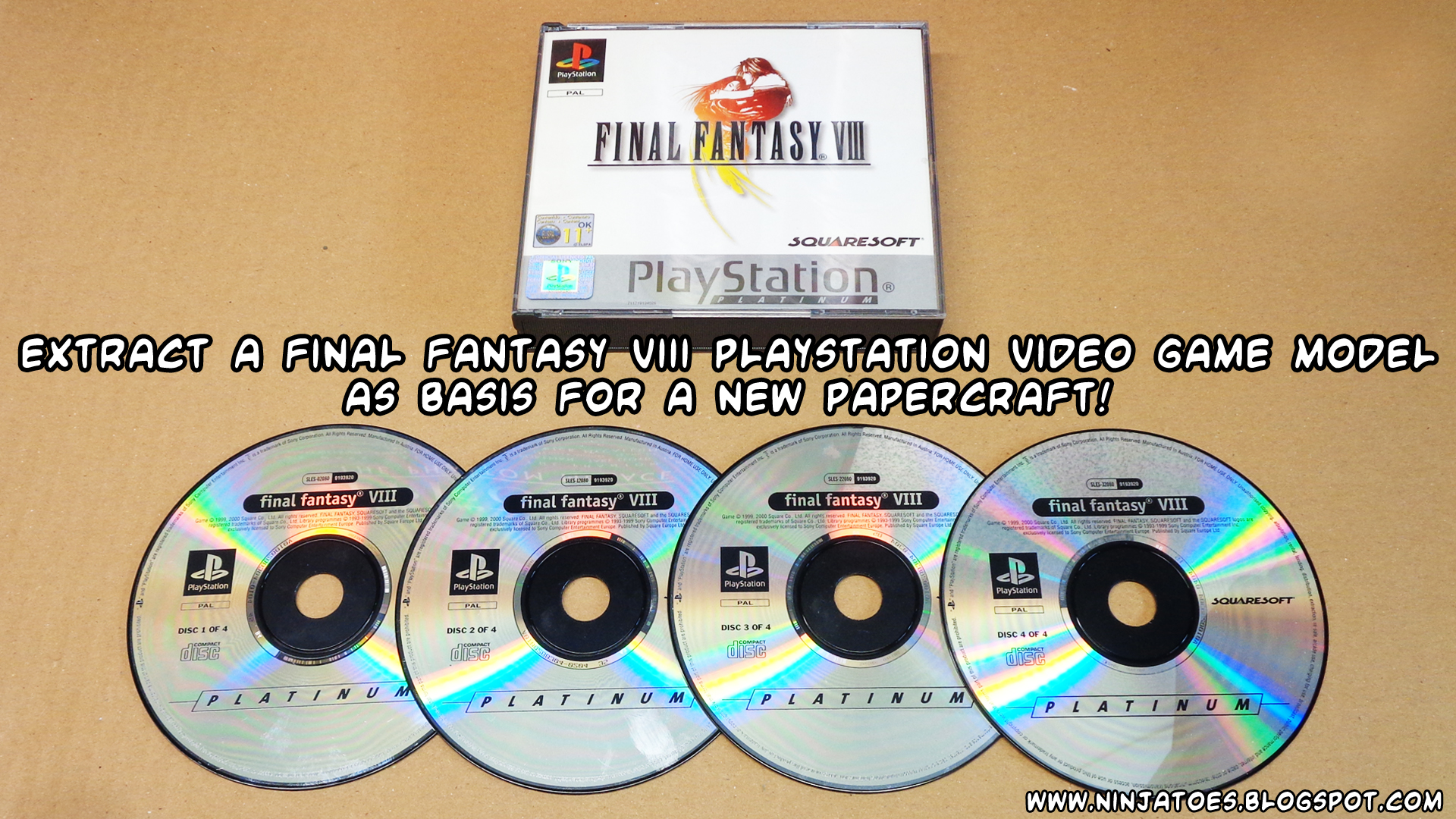
- First things first: as always, you need the game itself. There have been a few different iterations of Final Fantasy VIII, but as you can see I'm using the original PlayStation version


- Insert one of the four Final Fantasy VIII discs into the disc drive on your computer.
- Copy the .IMG file from the disc (FF8DISC1.IMG for example if you're using disc1 😉) to a new work Folder.


- Now download and unzip the latest version of Noesis by Rich Whitehouse: 

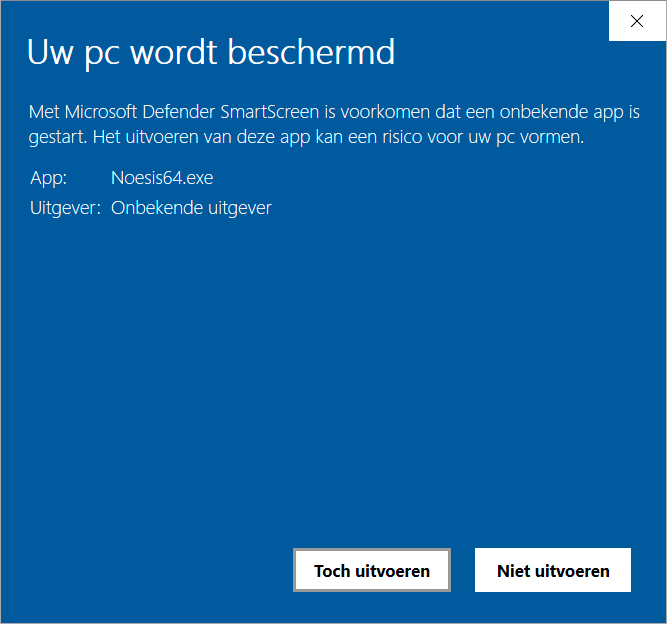
- When you try to start Noesis, you might get a warning from Microsoft Defender Smartscreen saying it prevented the unrecognized app from starting.

- If you trust Noesis though, you can click the More info button and then choose the Run Anyway option to... run it anway.


NOTE: Only bypass your computer's protection software if YOU completely trust the software of course and NEVER disable it completely!

- Once Noesis has started, go to the File menu and choose Open File.

- Open the FF8DISC1.IMG file you just copied into your work folder and the Export Container File dialogue box will automatically show.

- You don't really need to change anything; just click the Export button and let it do its thing.

- Once the Export is complete, there will be a new FF8DISC1_files folder in your work folder with lots of .dat (and other ones!) inside.


- Use the file tree in Noesis to browse to the FF8DISC1_files folder, and the .dat files show up in Noesis too.

- Select one of the .dat files to see a preview of the model.

- Find a character or monster you like to make into a papercraft, then right-click the .dat file (Sorceress Edea is stored as model0248.dat) and choose the Export option.

- The Export Media dialogue box will automatically open; change the Main output type to .fbx - Autodesk FBX. and click the Export button.

- Once the Export is complete, there will be an .fbx model and several .png texture images in the FF8DISC1_files folder.


◾ Convert exported .fbx file to Wavefront .obj (Blender) 

- Download and install a recent version of Blender (I like to use version v2.79b):

- Choose File -> Import -> FBX (.fbx) to open the extracted .fbx file.

- Once the .fbx file is imported, use the animation slider at the bottom to choose a nice pose for your papercraft.

- Once you're satisfied, choose File -> Export -> Wavefront (.obj)

- Open the exported .obj in the 3D program of your choice (I like to use Metasequoia) to assign the textures and change the 3D model to make the game model more suited for papercraft purposes! 😊


 ...which is what I'll be doing next. 😊

Stay tuned!